
AI image generators are powerful, but the quality of results depends heavily on the style you choose and how you prompt it. Styles define lighting, proportions, textures, mood, and overall realism. Understanding major AI image styles helps you get predictable, professional results instead of random outputs.
This guide explains four of the most popular and effective AI image styles used by creators today: Cinematic, Anime, Pixar, and Hyper-Realistic—what they mean, how they look, and when to use each one.
Table of Contents
What Does “Style” Mean in AI Image Generation?
In AI image generation, a style is not a single filter. It is a combination of visual rules the model follows, including:
- Lighting and color grading
- Character proportions and facial features
- Texture detail and sharpness
- Depth of field and camera perspective
- Emotional tone and atmosphere
When you specify a style in a prompt, you are guiding the AI toward a familiar visual language that mimics film, animation, illustration, or photography.
Cinematic Style Explained
What Cinematic Style Looks Like
Cinematic AI images resemble frames from movies or high-end TV shows. They focus on mood, storytelling, and dramatic lighting rather than perfect realism.
Common traits include:
- Soft shadows with directional lighting
- Shallow depth of field
- Rich color grading (teal and orange tones are common)
- Wide or close-up camera angles
- Emotional or narrative feel
When to Use Cinematic Style
- Brand visuals and ads
- Website hero images
- Concept art and storyboards
- YouTube thumbnails and posters
Prompt Tips for Cinematic Style
Use phrases like:
- cinematic lighting
- film still
- dramatic shadows
- 35mm lens, shallow depth of field
- moody atmosphere
Cinematic style works best when your prompt includes scene context, not just the subject.
Anime Style Explained
What Anime Style Looks Like
Anime style is inspired by Japanese animation and manga. It prioritizes expressive characters, simplified shading, and stylized features over realism.
Key characteristics:
- Large, expressive eyes
- Clean line work
- Flat or soft gradient shading
- Exaggerated emotions and poses
- Colorful or fantasy backgrounds
When to Use Anime Style
- Character design
- Avatars and profile images
- Comics, webtoons, and visual novels
- Gaming and fandom content
Prompt Tips for Anime Style
Include keywords like:
- anime style illustration
- manga art
- cel shading
- studio-inspired style (avoid naming copyrighted characters directly)
Anime style responds well to clear character descriptions such as clothing, hair color, and mood.
Pixar-Style Explained
What Pixar-Style Looks Like
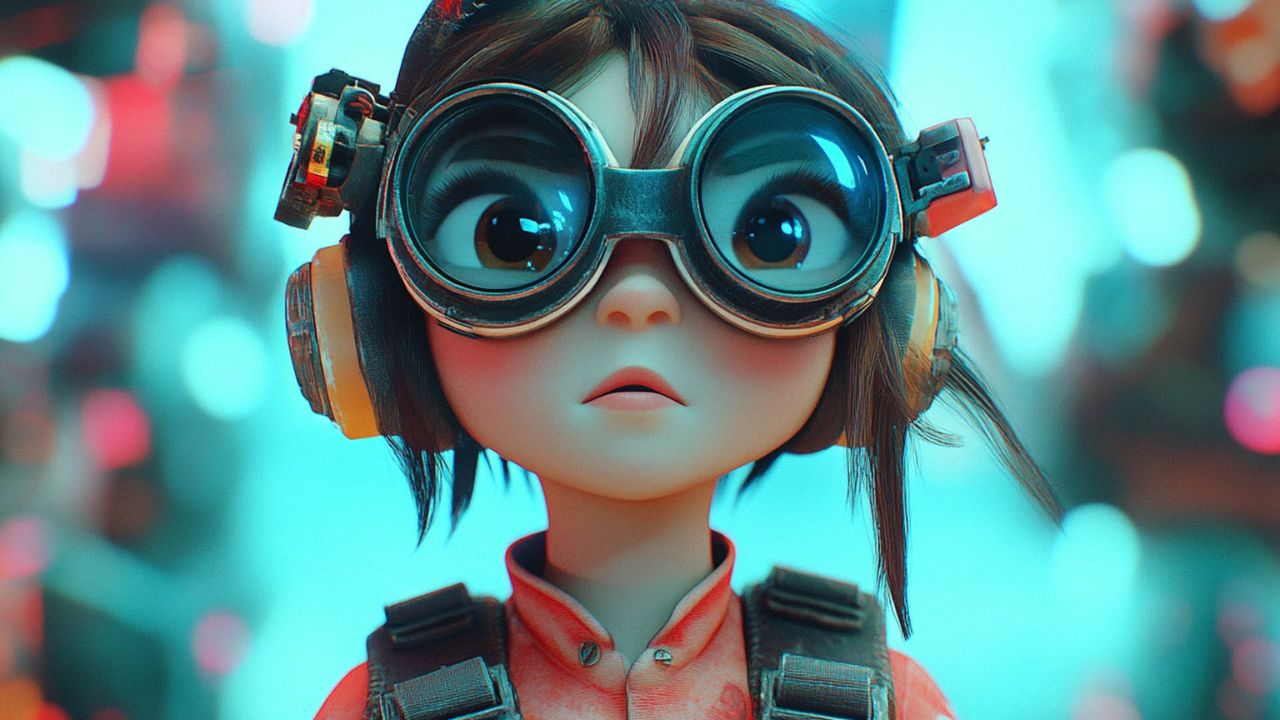
Pixar-style images are 3D, cartoon-like visuals with a polished, friendly look. They are not realistic but feel emotionally rich and approachable.
Typical features:
- Rounded facial shapes
- Large eyes and expressive faces
- Smooth textures and soft lighting
- Bright, balanced color palettes
- Playful, family-friendly tone
When to Use Pixar-Style
- Children’s content
- Brand mascots and explainer visuals
- Educational material
- Story characters and animations
Prompt Tips for Pixar-Style
Use wording such as:
- stylized 3D character
- animated film style
- soft global illumination
- friendly, expressive face
Avoid realism keywords, as they conflict with the Pixar-style aesthetic.
Hyper-Realistic Style Explained
What Hyper-Realistic Style Looks Like
Hyper-realistic images aim to look indistinguishable from real photographs. This style emphasizes extreme detail and natural imperfections.
Defining traits include:
- Realistic skin texture and pores
- Accurate lighting and shadows
- Natural facial asymmetry
- High resolution and sharp focus
- Camera-like realism
When to Use Hyper-Realistic Style
- Product visuals
- Fashion and lifestyle images
- Mock photography and ads
- Realistic portraits
Prompt Tips for Hyper-Realistic Style
Use technical photography terms:
- ultra-realistic
- DSLR photo
- natural skin texture
- studio lighting
- high-resolution photograph
Be precise. Small changes in prompts can significantly affect realism.
Choosing the Right Style for Your Project
Each style serves a different purpose. Choosing the right one depends on your goal, not just personal preference.
- Use Cinematic when you want emotion and storytelling
- Use Anime for stylized characters and creative expression
- Use Pixar-style for friendly, animated, brand-safe visuals
- Use Hyper-Realistic when realism and credibility matter
Many creators test multiple styles for the same idea to see which communicates best.
Final Thoughts
AI image styles are creative shortcuts—but only when you understand how they work. Instead of relying on trial and error, choose a style intentionally, adjust your prompts to match it, and refine based on output.
As AI tools evolve, styles will become even more nuanced. Mastering these four foundations gives you a strong base to create consistent, high-quality visuals across any platform.

Lena Park is a creative technologist specializing in image generation and audio tools, with over eight years leading multimodal AI projects for startups and media studios. Her professional background includes building GAN- and diffusion-based pipelines, designing sample-based synthesis systems, and consulting on audio-visual product roadmaps. Expertise: generative image modeling, neural audio synthesis, model evaluation, and UX for creative tools. She has published white papers on multimodal workflows, spoken at industry conferences, and contributed to open-source toolkits.